


Identifier and Researcher Profile
Guide: ORCID
ORCID is a free, unique, 16-digit persistent digital identifier (0000-0000-0000-0000) that allows you to be uniquely identified as an author and links your academic output to your profile. Keeping it visible and up to date is particularly important because it is required for:
- Publishing in open access at no cost through transformative agreements (APCs).
- The MERIT Researcher Profile.
- The DAU Institutional Repository.
- The Portal de Recerca de Catalunya (Catalonia Research Portal).
- Evaluation and accreditation processes.

IQS Library
Recommendations
At the IQS Library, we recommend that you include your ORCID identifier in all your publications and keep your profile up to date, ensuring that the basic information is visible and public so that you can be correctly identified. The minimum and essential fields are:
- Published name (Normalised signature)
- Verified email domains (url.edu)
- Identificadores (Researcher ID – WoS and/or Author identifier – Scopus)
- Employment with current employment at Universitat Ramon Llull and previous ones
- Education and qualifications
- Works with all your publications up to date
Basic features
- In the top right-hand corner, click on Sign in/Register.
- On the new page, click on the option Don’t have your ORCID iD yet? Register now.
- Enter your first name and surname.
- In the Primary email field, enter your personal email address, and in the Additional email field, enter your institutional email address. Click on Next Step.
- Choose your password.
- Fill in your affiliation details following the specified format.
- Choose a visibility option. At the IQS Library, we recommend Everyone so that your profile is public.
- Finally, accept the terms of use and register.
An ORCID profile allows you to include various types of information and set the visibility level for each (public, restricted or private):
Names
- Please enter your standard author name for scientific publications in the Your published name > Published name field.
Follow the firm’s style guidelines
- List other variations of your name under Your given and family names and Also known as.
Biography
Please describe your research career in no more than 5,000 characters. You may describe your academic background, your main research projects, your areas of research, or your teaching career.
Emails
- Email addresses: Please list all your email addresses (work and personal)
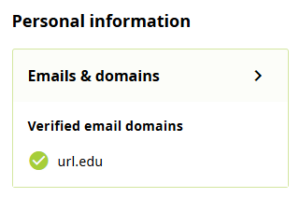
- Verified email domains: This field is highly recommended for institutional email addresses. Once you have verified your ORCID profile via the message you received in your IQS email, the verified URL extension will be added. This field serves as a way of verifying your affiliation with Universitat Ramon Llull.
- If you haven’t received an email, please click on Resend verification email.
- Email notifications: the email address where you will receive notifications.
Websites and social media
Add websites for your research projects, your research group or other relevant sites, including any social media profiles where appropriate.
Keywords
List the keywords that summarise your main area and topics of research.
Countries
Indicate the countries where you are conducting your research or which are the subject of your research.
ORCID allows you to link your Web of Science Researcher ID and your Scopus Author Identifier to your profile. You can also automatically import and update your publications, personal details and reviews. We recommend synchronising the import with only one database to avoid duplicates.
Researcher ID – Web of Science
- Access Web of Science and log in to the account linked to your Researcher ID.
- n the left-hand menu, go to Profile > My researcher profile.
- On the Profile Settings > ORCID syncing page, click on the Connect your ORCID profile option.
Author identifier – Scopus ID
- In your ORCID profile, add publications to the Works section by clicking on Add > Search & Link.
- Search for Scopus – Elsevier and grant the necessary permissions.
Your ORCID profile allows you to add new publications using various methods:
- Search and link: link your ORCID to other databases and grant them permission to import your publications or other information.
- Add DOI: import some of the information by providing the publication’s DOI.
- Add PubMed ID: automatically import publication data using the PubMed ID.
- Add BibTeX: export a record from a database in BibTeX format and import it into ORCID.
- Link manually