


Guide: Bibliometric Indicators for Authors

To quantitatively assess the impact and reach of researchers, various metrics are used, such as the number of publications or citations.
Among these, one of the most relevant is the H-index, the value of which indicates the number of a researcher’s publications that have been cited five times or more.
If you have an H-index of 5, it means that for every 5 publications, you receive 5 citations or more.
Below, we describe how to obtain these author metrics from the main scientific databases, along with narrative examples to aid their proper interpretation and use.
Get your author metrics
Sources and narrative

Total number of citations and H-index
Option 1
- Búscate en la pestaña de Researcher y accede a tu perfil de investigador.
- Asegúrate de que las publicaciones asociadas a tu perfil sean correctas.
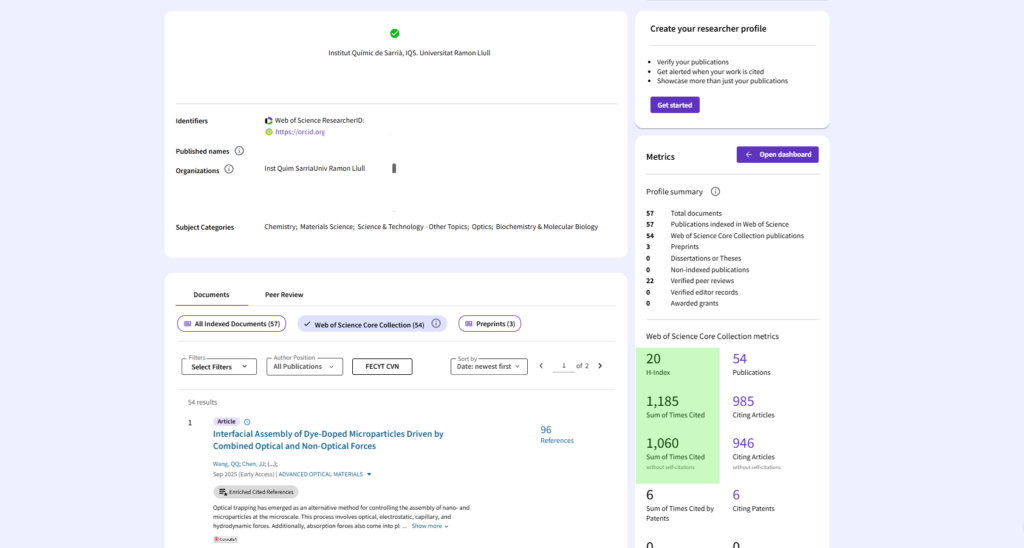
- En el panel derecho, Web of Science Core Collection metrics, se muestra el índice H del autor y el Sum of Times Cited.
- Go to the Researcher tab and access your researcher profile.
- Make sure the publications linked to your profile are correct.
- In the right-hand panel, Web of Science Core Collection metrics, the author’s H-index and Sum of Times Cited are displayed.
Option 2
- Go to the Documents > Author tab and view all your publications.
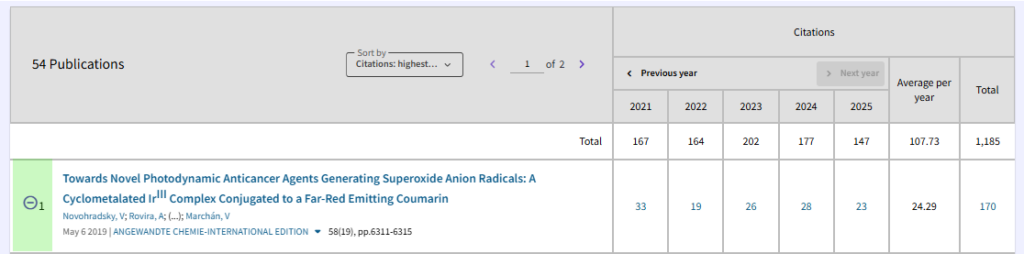
- On the results page, click on Citation Report to view your h-index and Times Cited.

- Make sure that all the posts that have been restored are yours. If you need to delete any, scroll down to the list of posts and delete them.

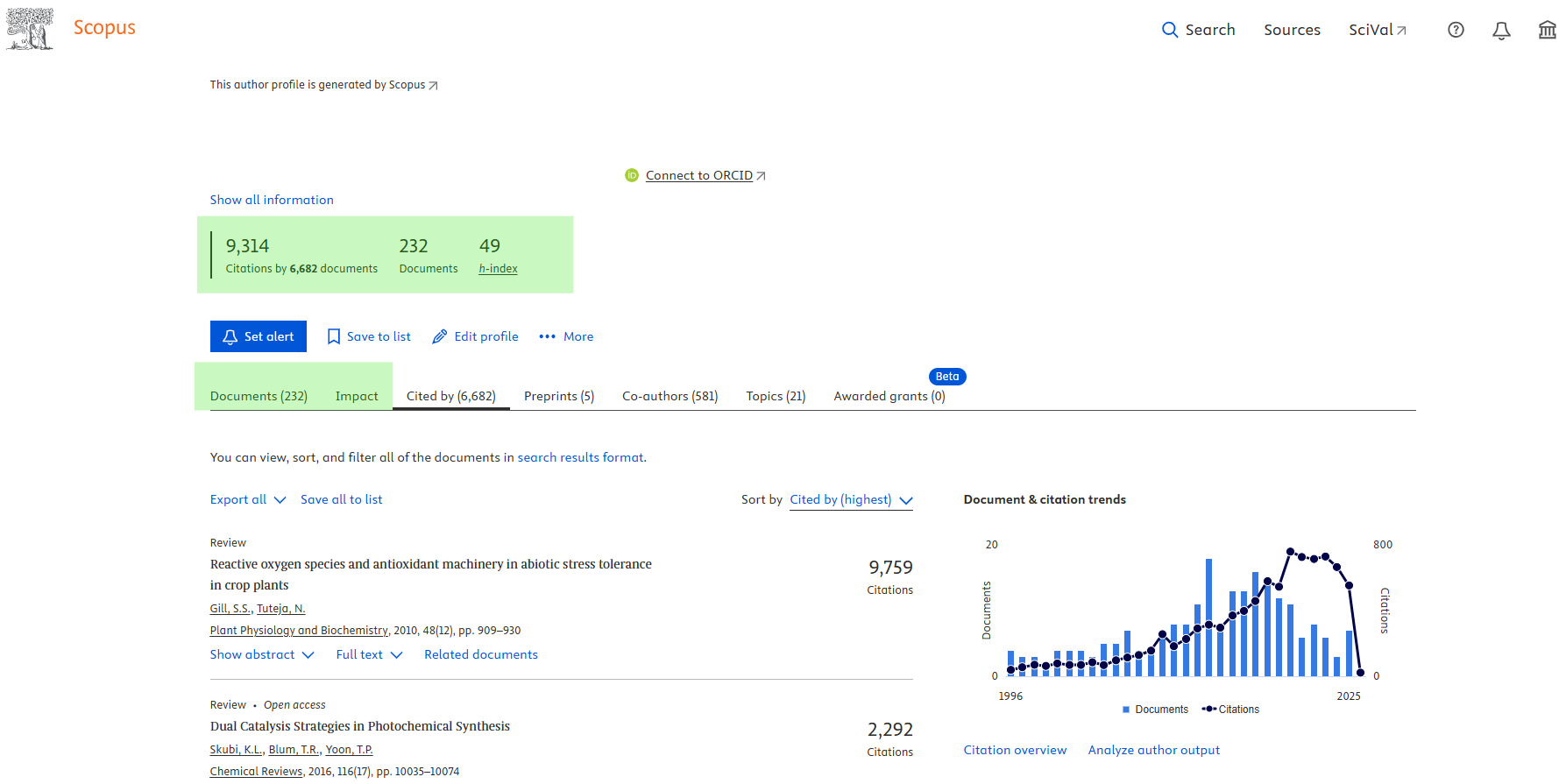
- Access to Scopus and look for your researcher profile under the Authors tab.
- The key metrics are displayed at the top: H-index, total number of citations received and total number of publications.
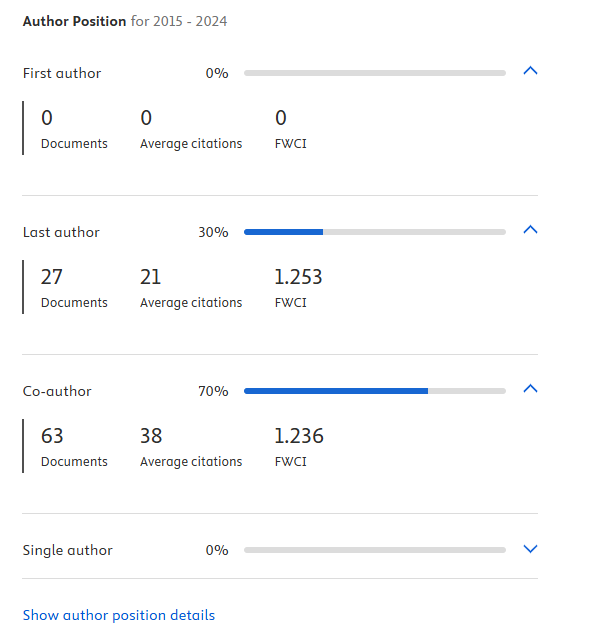
- On the same Documents tab, you can view the percentage and number of publications in which the person is the first author, last author, co-author or sole author. This is accompanied by the average number of citations received and the FWCI.
- In the Impact tab The following additional impact metrics are included:
- Number of publications addressing different Sustainable Development Goals.
- Articles in the highest citation percentiles.
- Articles in the top 25% of journals according to CiteScore, SNIP and SJR.
- Articles and Field-Weighted Citation Impact (FWCI).

- Access Google Scholar and search your researcher profile.
- In the right-hand panel, you will find the H-index and the total number of citations.
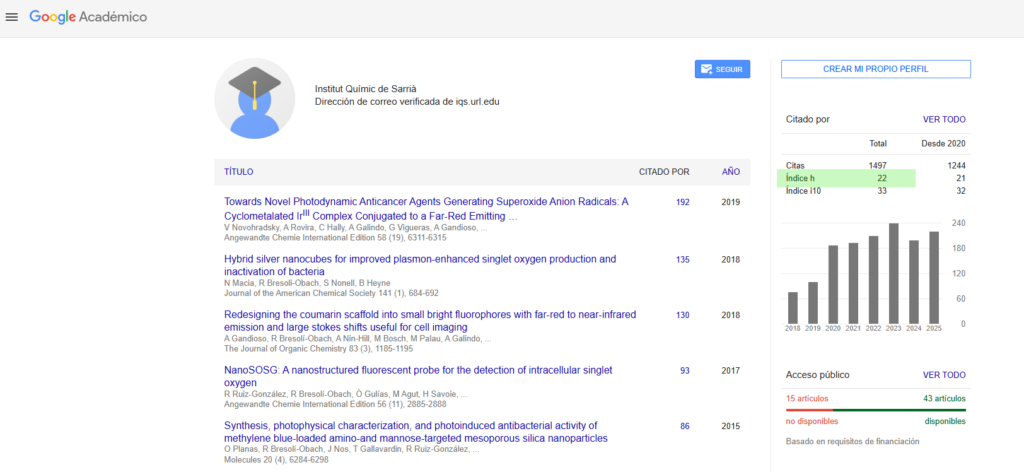

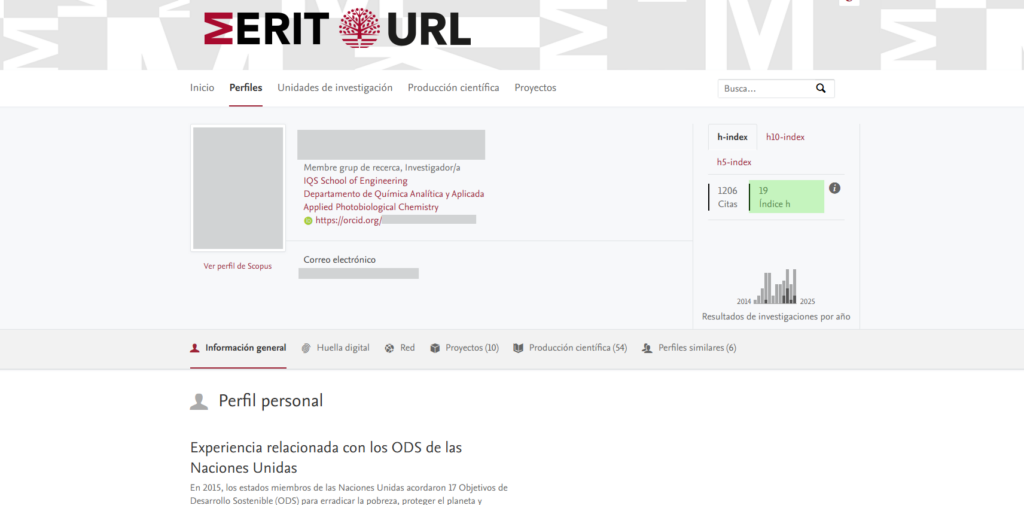
- Access to MERIT and search yourself in Profiles.
- Your record shows your H-index based on the publications you have in MERIT. It is important to ensure that all your publications are listed on your profile.
Guides and other resources
Contact us
If you have any questions about bibliometric indicators or how to draft a narrative outlining your scientific impact, please feel free to contact us.