


Identifier and Research Profile
Guide: Researcher ID – Web of Science
The Researcher ID is a unique identifier that links your author profile to your publications and works indexed in the Web of Science database. It allows you to:
- Manage potential identity issues.
- Ensure that your publications are correctly attributed.
- Obtain authorship metrics from the Web of Science Core Collection.

IQS Library
Recommendations
- Have a verified researcher profile on Web of Science.
- Provide your ORCID identifier.
- Keep your profile up to date with the correct affiliations and publications, as these are automatically imported into your MERIT profile.
- Check regularly for any duplicate profiles.
- Use impact metrics responsibly.
Basic knowledge
- Access to Web of Science and click on Register.
- Please fill in the form with your personal details.
- You will receive an email to confirm your registration.
Don’t have any publications in Web of Science yet?
- Once confirmed, log in to your account. In the left-hand menu, under Profile, click on Create.
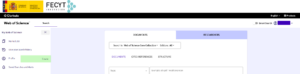
- You will see a message stating that you do not yet have a researcher profile. Click on Create your researcher profile to set one up.
- Once created, go to Profile > My researcher profile and add the information you wish to include: affiliation, ORCID identifier, etc.
- Once you have linked an email address, your profile will appear as verified, marked with a green tick.

- For future publications or activities, add them through My Records > + Add.
Do you already have publications in Web of Science?
- Find a post that you have written and click on your name.
- On the profile generated automatically by the system, check that the associated posts are correct and click on Claim my Record to claim it.
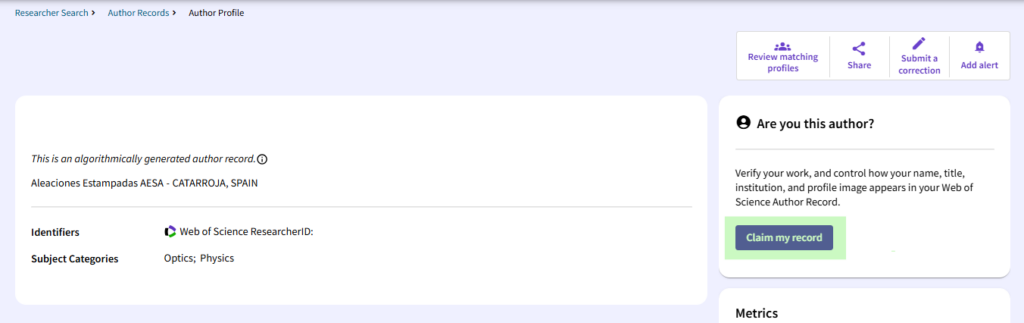
El perfil de investigador de Web of Science recoge la siguiente información:
- Profile picture
- Researcher’s preferred name
- Preferred institutional affiliation
- Awards (e.g. Highly Cited Researcher)
- Unique Web of Science ResearcherID
- Linked ORCID account
- Publications indexed in the Core Collection of Web of Science
- Peer reviews
- Publications not indexed in the Core Collection of Web of Science
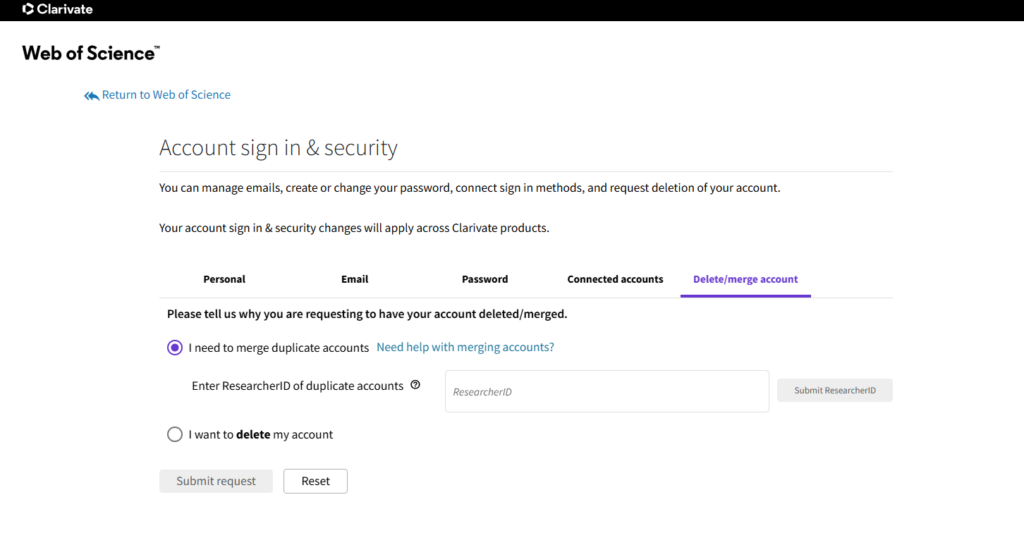
Sometimes, due to the automatic import and linking of publications, duplicate researcher profiles are created. If you spot a duplicate profile containing your publications, you can claim it and merge the records by following these steps:
- Log in to Web of Science using your account.
- Click on your name in the top right-hand corner and select Settings.
- Click on Account Settings.
- Select the Delete/merge account tab.
- Enter the Researcher ID of the profile you wish to merge with your main profile.
Update your Researcher ID in MERIT
- Una vez hayas fusionado los perfiles, entra en MERIT.
- Selecciona Editar Perfil.
- En la página de Metadatos > Identificación Personal > ID.
- Actualiza el Tipo de ID: ID de investigador.
- Once you have merged the profiles, log in to MERIT.
- Select Edit Profile.
- On the Metadata > Personal Identification > ID.
- Update the ID Type to: Researcher ID.

- Click on Save.
Web of Science allows you to add publications to your profile using various methods:
- Suggested publications: publications are linked to your profile based on the different variations of your name and the email addresses you have used.
- Identifier import: import publication information using the DOI, WoS ID, arXiv, PubMed ID or title.
- File upload: import record information by uploading a RIS, CSV or BibTeX file.
- Synchronise with ORCID: publications you have already added to your ORCID are linked.
To remove posts that have been incorrectly linked to your profile, go to My publication records and click Delete on the entry you wish to remove.
Once you are logged in to Web of Science, the right-hand panel of your researcher profile displays a summary of your author metrics in the Web of Science Core Collection:
- H-index: you have h publications that have received at least h citations.
- Publications in Web of Science: the number of publications indexed in the Core Collection.
- Sum of Times Cited: the total number of citations your publications have received in the Core Collection.
- Citing Articles: the total number of publications in the Core Collection that have cited your publications, also from the Core Collection.
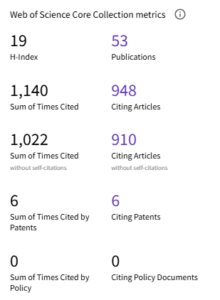
Currently, there are also the Sum of Times and Citing metrics, excluding self-citations, citations from patents and policy documents.
Metrics dashboard (Open dashboard)
The dashboard presents the initial WoS metrics in a visual and intuitive way. It also includes more contextual metrics, which help to analyse the impact and relevance of research activity in greater depth.
Times Cited and Publications Over Time
A combined bar and line chart showing the number of publications and the number of citations, respectively. You can download and edit it via View citation report.

Author Impact Beamplots
A graph showing, in context, the citation percentile of all your publications indexed in the Core Collection.
- Purple circle: the publication’s citation percentile. It can be one of three different sizes, depending on whether there is one, two or three publications in the same percentile.

- Green circle: the annual median percentile of all publications from the same year.
- Grey line: the annual median percentile of your publications included in the graph.
Author Impact Beamplot Percentile (metrics)
Geographic citation map
A map showing the geographical distribution of citations received for your articles based on the authors’ institutional affiliations; if an author has more than one affiliation in different cities, more than one point will be generated.
Citation Report
Using the View Citation Report option, you can narrow down the time period and select the publications for which you wish to obtain metrics from the Web of Science Core Collection.
How to do it?
- Publications: select the time period for which you want to retrieve citations.
- Publications table: remove specific publications from the selection.
Other features
- Create alert: receive regular notifications about new profile activity.
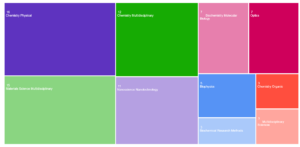
- Analyse Results: view and download the data as a bar chart or a TreeMap Chart. You can select the information you wish to extract from the drop-down menu (Web of Science Categories, Sustainable Development Goals, affiliations, authors, etc.)
FECYT offers online training on the Researcher ID and the Web of Science researcher profile.